 SOC Services
How To Avoid Phishing Attack To Protect Your Business



Editor’s Note: This article provides practical guidance on preventing phishing attacks through user education, email filtering, verification processes, and cautious online behavior. Given the sophisticated nature of... Read More
Downtime Draining Your Business? Fix It Before It Costs More
Missed alerts turn into outages, outages turn into lost revenue. ExterNetworks Inc. delivers 24/7 NOC & Help Desk support to keep everything running smoothly.
Get 24/7 IT Support NowWhat is a Phishing Attack?
Phishing attack is an attempt to steal personal information such as usernames, passwords, credit card numbers, etc., by sending emails or text messages that appear to be from legitimate companies or individuals. These emails are often sent in the form of a link to a website where the user is asked to enter his/her credentials. The attacker then uses these credentials to access the victim’s account.
The most common way for attackers to gain access to a company’s network is through email. Attackers send malicious links to employees, which trick them into giving up their login credentials. Once the attacker has gained access to the network, he/she can use it to perform various actions, including stealing sensitive data, installing malware, and even deleting important files.
There are many ways to prevent phishing attack. One of the best ways is to educate users about the dangers of clicking on suspicious links. Another way is to make sure that only trusted people have access to your network. You should also ensure that your employees know how to recognize phishing attack attempts and report any suspicious activity.
Moreover, you need to implement strong password policies so that all employees understand what constitutes a secure password. Finally, you must train your staff on how to identify fraudulent websites and avoid entering confidential information at those sites.
How does Phishing Affect a Business?
Reputational Damage
The reputation of your brand is everything. It’s what people think about you when they hear or see your name.
If someone makes up their mind that you’re untrustworthy, it could cost you, customers.
It also means that if there’s ever any doubt over whether or not you’ve been hacked, then you may lose out on future contracts.
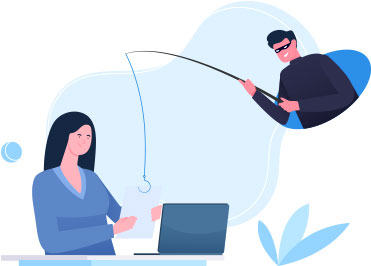
Successful phishing attack Result in Financial loss
A successful phishing attack will result in financial losses.
Loss of customers
Customers who have been affected by a data breach may choose not to do business with you again.
They could also decide that your products or services don’t meet their needs anymore.
This is particularly true if customers believe that there was no way they could’ve prevented being impacted by the attack.
In this case, it becomes very difficult to win back those lost customers.
Loss of company value
After 157,000 Talk customers had their data compromised, customers left in their thousands. Following the compromise of Facebook user data in 2018, Facebook’s valuation dropped by $36bn. Post-Brexit, under UK GDPR, the penalties can total £17.5 million or 4% of a company’s annual global turnover – whichever is higher.
Business disruption
A data breach isn’t limited to financial losses. Businesses are also forced to deal with the fallout when sensitive information gets into the wrong hands.
For example, in 2017, Marriott International suffered a major security incident where an employee stole up to 500GB worth of internal documents containing guest reservation numbers and other private information.
How do they work?
They usually come in the form of emails that look legitimate. The email may contain a link to a website where the user is asked to enter his/her login credentials. Once the user enters his/her credentials, he/she is redirected to a fake site where the hacker has access to the user’s account.
How Often Should Organizations Conduct Phishing Awareness Training and Simulated Phishing Tests?
Organizations should conduct phishing awareness training at least quarterly to help employees recognize evolving phishing techniques and cybersecurity threats. Regular training sessions should cover suspicious email addresses, malicious links, fraudulent attachments, social engineering tactics, and business email compromise (BEC). New employees should also receive phishing awareness training during onboarding to establish safe email practices from the beginning.
Run simulated phishing tests monthly or quarterly to assess how well employees identify and report suspicious messages. These simulations help organizations measure click rates, credential submission rates, and phishing reporting rates. Security teams can use these results to identify employees who need additional guidance and assess overall security awareness.
Organizations should also provide targeted refresher training to employees who repeatedly fall for simulated phishing attempts. Adjust training frequency and content based on employee performance, emerging threats, and changes in attack techniques. Consistent awareness programs, realistic simulations, and performance tracking help businesses strengthen their human security defenses and reduce phishing-related risks.
What are the Different Types of Phishing Attacks that Target Businesses?
Phishing attacks target businesses through different communication channels and social engineering techniques to steal sensitive information, compromise employee accounts, and gain unauthorized access to corporate networks. Attackers often impersonate trusted individuals, business partners, executives, or legitimate organizations to make their messages appear authentic.
The most common types of phishing attacks targeting businesses include:
- Spear Phishing: Targets specific employees or departments using personalized emails designed to steal login credentials or confidential business information.
- Whaling: Targets senior executives, CEOs, CFOs, and other high-level employees to obtain sensitive information or authorize fraudulent financial transactions.
- Business Email Compromise (BEC): Attackers impersonate executives, vendors, or business partners to trick employees into transferring money or sharing confidential information.
- Smishing: Uses fraudulent SMS or text messages containing malicious links or requests for sensitive information.
- Vishing: Uses phone calls or voice messages to impersonate trusted organizations and manipulate employees into revealing credentials or financial details.
- Clone Phishing: Copies a legitimate email and replaces its original links or attachments with malicious versions to deceive recipients.
- QR-Code Phishing (Quishing): Uses malicious QR codes in emails, documents, or printed materials to redirect employees to fraudulent websites or credential-stealing pages.
How Does Zero-Trust Security Help Prevent Attackers From Exploiting Stolen Credentials?
Zero-trust security protects businesses from stolen credentials by requiring every user and device to verify their identity before accessing corporate resources. Even when attackers obtain valid login credentials through phishing or other cyberattacks, they cannot automatically access business systems. Additional authentication checks help organizations detect suspicious login attempts and prevent unauthorized access.
Another key component is least-privilege access, which limits users to the applications and data they need for their roles. Continuous identity verification and device trust assessments help security teams evaluate login behavior, device health, and access requests. Conditional access policies can also restrict access based on location, device compliance, and potential security risks.
Network segmentation further strengthens zero-trust security by separating critical business systems and limiting unauthorized movement between network environments. If attackers compromise one account or endpoint, these restrictions help prevent them from accessing other sensitive resources. By combining identity verification, access restrictions, and continuous monitoring, organizations can reduce credential-based attacks and strengthen overall cybersecurity.
Business Email Phishing Protection and Security Best Practices
Businesses should implement strong email security measures to protect employees from phishing attacks, fraudulent messages, and email spoofing. Email authentication protocols such as SPF, DKIM, and DMARC help verify sender identities and prevent attackers from impersonating legitimate business domains.
Organizations should also use secure email gateways, URL filtering, and attachment sandboxing to identify and block malicious content before it reaches employees’ inboxes. The following best practices can strengthen business email security:
- SPF (Sender Policy Framework): Verifies whether an email server is authorized to send messages on behalf of a domain.
- DKIM (DomainKeys Identified Mail): Uses digital signatures to verify email authenticity and message integrity.
- DMARC (Domain-based Message Authentication, Reporting, and Conformance): Helps prevent domain spoofing by defining how to handle unauthenticated emails.
- Secure Email Gateways: Filter incoming and outgoing emails to detect spam, phishing attempts, and malicious content.
- Attachment Sandboxing: Tests suspicious email attachments in an isolated environment to identify malware.
- URL Filtering: Detects and blocks malicious links that redirect employees to fraudulent websites.
- Anti-Spoofing Policies: Prevent unauthorized senders from impersonating company executives, employees, or trusted business partners.
What Phishing Prevention Measures Should Small and Medium-Sized Businesses Implement With Limited IT Budgets?
Small and medium-sized businesses (SMBs) can prevent phishing attacks by implementing affordable cybersecurity measures without investing in expensive security infrastructure. A combination of email protection, employee awareness, strong authentication, and endpoint security can significantly reduce phishing-related risks. Businesses should prioritize cost-effective solutions that provide essential protection and can scale as their IT requirements grow.
Key phishing prevention measures for SMBs include:
- Affordable Email Filtering: Use budget-friendly email security tools to detect spam, suspicious links, malicious attachments, and fraudulent messages before they reach employee inboxes.
- Multi-Factor Authentication (MFA): Enable MFA across business email, cloud applications, and remote access accounts to prevent unauthorized access using stolen passwords.
- Employee Security Training: Conduct regular awareness sessions to help employees recognize phishing emails, suspicious attachments, social engineering tactics, and fraudulent requests.
- Password Managers: Use password management tools to generate and securely store unique, strong passwords for business accounts.
- Endpoint Protection: Install reliable antivirus and endpoint security solutions to detect malware, block suspicious activities, and protect employee devices.
- Managed Security Services: Consider affordable managed security service providers (MSSPs) to access professional monitoring, threat detection, email protection, and incident response without maintaining a large in-house security team.
By combining these practical measures, SMBs can establish a strong cybersecurity foundation while keeping IT expenses under control. Regular security reviews and timely software updates further help businesses adapt to emerging phishing threats.
How do I Protect My Business Against Phishing Scams?
Phishing scams are one of the most common types of cyber crime. They often involve sending emails or text messages that appear to be from legitimate companies or individuals. These emails may ask you to click on links or download attachments. If you receive an email like this, don’t open any attachment or follow any link unless you’re 100% certain that it came from someone you trust.
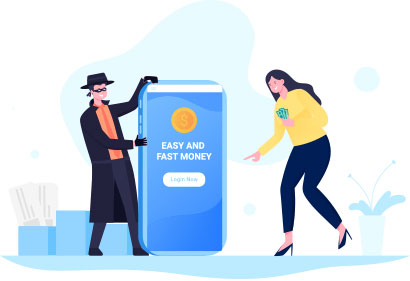
If you think something looks fishy, contact the sender immediately using the phone number provided in the message. Never give out private information over the internet without verifying its authenticity.
There are several things you can do to prevent yourself from being a victim of phishing attacks.
Here are some tips to help you identify a phishing email:
- Never click on links in emails. If it looks like an official company or government agency, then the chances are high that it’s not genuine. Instead, go directly to their web page and type in the correct URL manually.
- Always check the URL of any website before entering your login credentials. This means that the website uses encryption technology so that no one else but you will be able to see what you’re typing into the password box.
- Be careful about giving out your password to anyone. Hackers use social engineering techniques to trick people into revealing sensitive data. For example, if someone asks you to change your password, don’t just agree without verifying who sent the request.
- Use different passwords for each website. Make sure that all your accounts have unique passwords. Also, make sure that these passwords aren’t easy to guess. You should also avoid using simple words when creating your passwords.
- Don’t give out your login details to anyone who asks for them. Even if this person claims to represent a reputable organization, there could still be a scam going on behind the scenes.
- Keep your computer safe – install anti-virus software and keep it updated. It helps detect viruses and other malicious programs.
- Avoid clicking on links in unsolicited emails. These types of messages often lead to scams.
- Do not respond to spam emails. Spammers try to get your attention with flashy headlines and pictures. Ignore those emails and report them to the relevant authority.
- Check your bank statements regularly. Look at every transaction carefully. Any suspicious activity might indicate fraud. Report anything unusual immediately.
- Report suspicious activity to your financial institution. Your bank may already offer protection against online banking threats. However, even if it doesn’t, you can always contact customer service and ask whether they’ve received similar complaints recently.
- Change your password frequently. Hackers sometimes hack websites by guessing common usernames and passwords. They’ll continue trying until they find something right. So changing your password periodically makes it harder for hackers to gain unauthorized access to your account.
- Don’t open attachments sent by unknown senders. Attachments contain malware that allows hackers to steal personal information such as credit card numbers.
- Watch out for fake apps on Google Play Store and Apple App Store. Some apps look legitimate but actually collect user’s private information. Before downloading any app, read its reviews thoroughly. If most users complain about an app being fraudulent or dangerous, then chances are high that it is indeed a scam.
In summary, there are several things you can do to protect yourself from phishing:
- Educate your staff about what constitutes a valid email address and why it matters.
- Make sure all devices connected to your network are secure. This will help stop anyone who gains physical control over one device from accessing others.
- Use two-factor authentication whenever possible.
Related on ExterNetworks Right Now!