
 Reliable
Always available, always on hand on to help. Our team is here to lend remote support as soon as you need them, reducing downtime and helping you get back on your feet ASAP.
 Secured
With high-end encryption and authentication, we ensure that every time your team gets in touch with us, your data is protected. Mindful support helps keep your organization more secure.
 Flexible
We are here to meet your needs. With a wide roster of experts in different fields available all hours of the day, let us find the support system that best suits the demands of your team.
Request a Call from Sales
Your Trusted Managed Desktop Services Provider for Enterprises
A dedicated team of round-the-clock engineers will address your support issues whenever you need them. With remote desktop access and a wide range of support tools, we help you get back on your feet more quickly. Aided by Help Desk Support and a Critical Incident Management Team, we have you covered.
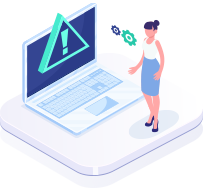
Critical Incident Management
We help you get back on your feet following any critical incident, be it sudden unexpected downtime or a data breach.
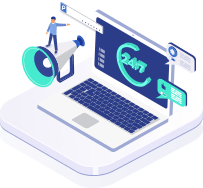
Unlimited 24x7x365
OnDemand Support
No matter when you encounter a problem or need a solution, we will always have a certified engineer waiting to help you.
Best-in-Class Tools & Processes
A wide range of support tools to help you address all manner of problems is paired with the most reliable processes.
Minimizing emerging Security Threats
We can help you identify and mitigate the risk of security threats even before they’ve arrived. Be proactive with your security, not reactive.
Insights to Healthy Desktop Environment
Learn more about our performance, incidents resolved, and outstanding issues to make sure you’re getting the best service.
Remote Diagnostic & Repair
Our team can safeguard and improve your IT scope from afar so you don’t need to worry about it.
Expert-Driven Managed Desktop Support Services for Your Business
We take the stress out of managing and supporting your desktop environment, allowing you to focus on your core business priorities. Our Managed Desktop Services provide expert, round-the-clock support from certified professionals who ensure your systems remain secure, optimized, and fully operational—whether your business operates in the United States or worldwide.
Request a Call from Sales
Need Help? We're Here for Enterprises
ExterNetworks provides a broad range of enterprise-grade Managed IT Services designed for organizations of all sizes.
Our team of highly qualified and trained professionals is always ready to assist you around the clock with guaranteed SLA performance.
Request a Quote
Our NOC specialists help you in getting the right enterprise solution for your business within your budget. Fill the form & Get the best enterprise quotes with guaranteed SLAs.
Request a QuoteSchedule a Demo
Some enterprise stories are better if shown than told! Request a free demo to experience how ExterNetworks enterprise-grade Managed IT services can benefit your large enterprise. Schedule a Demo Today!
Request a DemoContact Sales
Have Questions about our managed NOC Services? Fill out the form, and our enterprise experts are ready to offer 24/7 support with guaranteed SLAs. Call Us Today!
 SALES: (732) 624-1900
Resources
White Paper
A Guide to Managed Technology Services and its Role in Solving Current IT Challenges.
DOWNLOAD NOW!
Case Study
How to Meet Your Vision Through Core Strategic Operations Using Managed NOC
DOWNLOAD NOW!You Asked. We Answered.
But if we didn't, just reach out to us and we'll be happy to answer your questions.
Contact UsFAQ's
Managed Desktop Services Definition?
Managed Desktop Services is an outsourced IT model where a service provider remotely manages, secures, monitors, and supports an organization’s desktop infrastructure, including endpoints, operating systems, applications, and user environments under a defined SLA.
Which businesses or organizations should consider managed desktop services?
- Mid-sized and enterprise organizations with distributed teams
- Businesses lacking in-house IT resources
- Companies with remote or hybrid workforces
- Organizations requiring strict compliance and endpoint security
- Multi-location enterprises needing centralized IT control
DaaS vs. VDI: What Is the Key Difference?
- DaaS (Desktop as a Service): Cloud-hosted virtual desktops delivered by a third-party provider on a subscription model. Infrastructure is fully managed by the provider.
- VDI (Virtual Desktop Infrastructure): On-premises or private cloud-hosted virtual desktops managed internally by the organization’s IT team.
Key Difference: DaaS is outsourced and cloud-managed, while VDI requires internal infrastructure ownership and management.
How to choose the right desktop management services provider for your business?
- Evaluate 24/7 monitoring and support capabilities
- Check experience with enterprise IT environments
- Assess security framework and compliance expertise
- Review SLA commitments and response times
- Verify scalability and integration with existing IT systems
- Request client references and case studies
What key benefits do businesses gain from managed desktop services?
Businesses gain cost savings, improved security and compliance, faster issue resolution, standardized desktops, better asset control, and predictable IT expenses.
How do Managed Desktop Support services differ from traditional IT support?
Unlike traditional IT support, which often reacts to issues as they arise, Managed Desktop Support takes a proactive approach by continuously monitoring systems, applying updates, and addressing potential issues before they impact operations. This results in fewer disruptions and a more efficient IT environment.
What industries can benefit from ExterNetworks Managed Desktop services?
Many industries can benefit from Managed Desktop Support Services, including healthcare, finance, education, and manufacturing. These sectors often have stringent compliance requirements and depend on reliable IT infrastructure to support their operations effectively.
Key Components of Managed Desktop Services
Managed Desktop Services typically include endpoint monitoring, OS and application management, patching and updates, endpoint security enforcement, user provisioning and access control, asset and license tracking, backup and recovery, and remote help desk support.
How do managed desktop services improve employee productivity?
Managed desktop services improve employee productivity by quickly resolving technical issues and reducing disruptions from desktop failures, software errors, and performance problems. Proactive monitoring and preventive maintenance help identify potential issues before they affect daily operations, allowing employees to focus on their core responsibilities instead of troubleshooting IT problems.
Additionally, consistent technical support ensures employees receive timely assistance, whether they work in the office or remotely. By maintaining updated, secure, and reliable desktop environments, managed desktop services minimize downtime, improve workflow efficiency, and create a smoother employee experience.
What are the benefits of managed IT services for businesses?
Managed IT services help businesses improve operational efficiency, strengthen cybersecurity, and reduce IT-related disruptions through proactive technology management. Services such as infrastructure monitoring, network management, software updates, and cybersecurity protection help identify potential issues early, maintain system reliability, and protect business data. Outsourcing IT management also frees internal teams to focus on strategic business priorities.
Managed desktop services complement these broader IT services by keeping employee devices secure, up to date, and operational. Combined with help desk support, continuous infrastructure monitoring, and incident management, they help resolve technical problems faster and minimize downtime. This integrated approach improves employee productivity, supports business continuity, and delivers more consistent, reliable IT operations.
Are managed desktop services the same as help desk support or desktop-as-a-service?
No, managed desktop services, help desk support, and desktop-as-a-service (DaaS) serve different purposes. Managed desktop services provide ongoing management of employee desktops, including device monitoring, software updates, security management, preventive maintenance, and technical troubleshooting. Help desk support primarily focuses on resolving user-reported IT issues, answering technical questions, and assisting employees with software, hardware, and access problems.
Desktop-as-a-service (DaaS), by contrast, delivers cloud-hosted virtual desktops that employees can access remotely through supported devices. While managed desktop services focus on maintaining and supporting endpoint environments, help desk support focuses on resolving user issues, and DaaS focuses on providing virtual desktop infrastructure. Businesses can combine these services to improve endpoint reliability, simplify IT support, and provide employees with secure, consistent access to business applications.
Do managed desktop services include endpoint security and antivirus management?
Yes, managed desktop services can include endpoint security and antivirus management, depending on the service provider and agreed scope. These services may involve installing and updating endpoint protection software, detecting malware, enforcing security policies, applying operating system and application patches, and monitoring devices for suspicious activity. These measures help protect business desktops against cyber threats, unauthorized access, and vulnerabilities.
Managed desktop providers can also coordinate endpoint protection with broader cybersecurity tools, such as endpoint detection and response (EDR), security information and event management (SIEM), and centralized monitoring platforms. This integration helps IT teams identify potential threats, investigate security alerts, and respond to incidents more effectively. Businesses should confirm which security controls, monitoring capabilities, and incident response services are included in their managed desktop support agreement.
Do managed desktop services include software updates and patch management?
Yes, managed desktop services often include software updates and patch management, depending on the service agreement. These services may cover operating system patches, application updates, security fixes, and vulnerability remediation to keep desktop environments secure and reliable. IT teams typically assess available updates, prioritize critical security patches, test them for compatibility, and schedule deployments to minimize disruption to business operations.
Managed desktop providers can also monitor patch status, identify devices with missing updates, and maintain reports to support security and compliance requirements. Automated patch deployment and centralized management help organizations reduce security vulnerabilities, prevent software-related issues, and maintain consistent configurations across employee devices. Regular patching also improves system stability and reduces the risk of cyberattacks targeting outdated software.
What factors should businesses consider when selecting a managed desktop services provider?
Businesses should evaluate a managed desktop services provider based on technical expertise, service-level agreements (SLAs), security practices, and support availability. Choose a provider with experience managing desktop environments, troubleshooting technical issues, applying security patches, and protecting business endpoints. Review the SLA to understand guaranteed response and resolution times, service availability, and performance commitments. Strong security policies, access controls, and proactive monitoring are also essential for protecting business systems and data.
Scalability, transparent reporting, and geographic coverage are equally important when selecting a provider. Ensure the provider can support business growth, manage devices across multiple locations, and provide remote or on-site assistance based on your requirements. Regular performance reports covering ticket resolution, system availability, patch compliance, and SLA performance help measure service quality. Selecting a provider that aligns with your technical needs, security requirements, and business objectives can improve productivity and ensure reliable desktop support.
What hardware and software are typically supported under Managed Desktop Support services?
Managed Desktop Support Services typically cover a wide range of hardware, including desktops, laptops, and thin clients, as well as software applications across various platforms. This includes operating systems, productivity suites, and industry-specific applications, ensuring comprehensive support for all user needs.
What remote desktop support tools are used for troubleshooting and issue resolution?
We use various industry-leading remote desktop support tools that allow our technicians to troubleshoot and resolve issues efficiently. These tools provide secure remote access, enabling rapid response times and minimizing downtime for end users.
How do the Managed Desktop Support services provider handle operating system updates and patches?
Our Managed Desktop Support services include a systematic approach to managing operating system updates and patches. We proactively schedule and deploy updates during low-impact times to ensure that systems remain secure and compliant without disrupting user productivity.
How do you manage endpoint devices, including laptops, desktops, and thin clients?
We employ a centralized management system to monitor and maintain endpoint devices, ensuring that all hardware and software are kept up-to-date and secure. Our proactive monitoring allows us to identify and resolve issues before they impact users.
What monitoring tools do you use for proactive issue detection on desktop systems?
ExterNetworks utilizes advanced monitoring tools that provide real-time visibility into system performance and health. These tools help us proactively identify potential issues and address them before they escalate, ensuring optimal desktop performance.
How do you handle backup and recovery for desktop devices in case of hardware failure or cyberattacks?
We implement comprehensive backup and recovery solutions that are automatically scheduled to protect critical data on desktop devices. In the event of hardware failure or a cyberattack, our recovery protocols ensure minimal disruption and swift restoration of operations.
Do you offer compatibility testing for new software applications on desktop environments?
Yes, as a trusted desktop management service provider, we offer compatibility testing for new software applications to ensure they function correctly in existing desktop environments. This minimizes the risk of disruptions and operational inefficiencies.
What kind of reporting or analytics do you provide to track the performance of Managed Desktop Support?
ExterNetworks provides detailed reporting and analytics that track key performance indicators, including support response times, issue resolution rates, and system uptime. These insights help businesses assess the effectiveness of their managed services and make informed decisions.
What are the response times for Managed Desktop Support services?
We pride ourselves on our quick response times, with initial support responses within minutes, ensuring that your IT issues are addressed promptly to minimize downtime.
Can Managed Desktop Services be customized to meet unique business requirements?
Absolutely. ExterNetworks offers customizable Managed Desktop Support solutions tailored to your business's specific needs, ensuring optimal service delivery.
What Service Level Agreements (SLAs) are available for Managed Desktop Services?
ExterNetworks provides flexible SLAs tailored to your business needs, outlining response times, resolution times, and service availability to ensure clarity and accountability in service delivery.
Can your Managed Desktop Support scale with my business's growth?
Yes, our Managed Desktop Support services are scalable, allowing us to adapt seamlessly to your business growth and evolving IT requirements.
How do you handle desktop support for businesses with multiple office locations?
We offer centralized support solutions that efficiently manage desktop support across multiple locations, ensuring consistent service and minimal downtime.
How much does Managed Desktop Services cost for businesses?
Cost varies based on the specific needs and scale of operations, but ExterNetworks offers competitive pricing tailored to deliver maximum value.
What is the ROI of investing in Managed Desktop Support services for my organization?
Investing in Managed Desktop Services significantly reduces downtime, enhances productivity, and lowers IT costs, resulting in a strong return on investment.
Are there any hidden fees associated with your Managed Desktop Support services?
ExterNetworks prides itself on transparency; there are no hidden fees associated with our services, ensuring clear and predictable budgeting.
Can you help my business reduce IT costs through Managed Desktop Support services?
Yes, our desktop management solutions help streamline IT operations, reduce the need for in-house resources, and ultimately lower overall IT costs.