 Managed IT Services
Office 365 vs. Google Workspace : Which One Should You Choose?



Downtime Draining Your Business? Fix It Before It Costs More
Missed alerts turn into outages, outages turn into lost revenue. ExterNetworks Inc. delivers 24/7 NOC & Help Desk support to keep everything running smoothly.
Get 24/7 IT Support NowCall them office suites, productivity suites, or otherwise, Office 365 and Google Workspace are amongst the two most popular packages of business tools and features. There are many shared features between each, such as business email, calendars, online storage, and a host of apps for producing documents, presentations, and spreadsheets. But which one should you choose?
Features of Both Products
As mentioned, there are various features that both products offer. There are many distinct differences between each product. At the time of writing, here are the offerings from each of the suites:
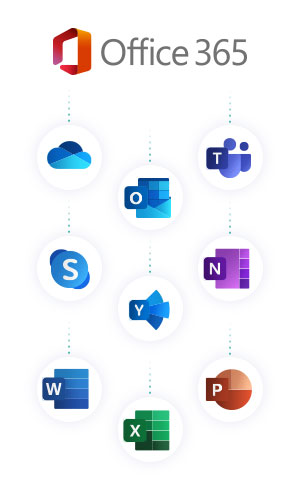
Microsoft Office 365
- Microsoft Word (Word Processor)
- Microsoft Excel (Spreadsheet/data management software)
- Microsoft Publisher (Presentation software)
- Microsoft Teams (A team chat and audio/video call tool)
- Skype (A one-to-one chat and audio/video call tool)
- Microsoft Outlook (Email software, contact book, and calendar app)
- Microsoft OneDrive (A Cloud storage tool)
- Microsoft SharePoint (A Cloud collaboration and content management tool)
- Microsoft Forms (A form creation tool)
- Microsoft OneNote (Note-taking and organization software)
- Microsoft Publisher (A website creation tool)
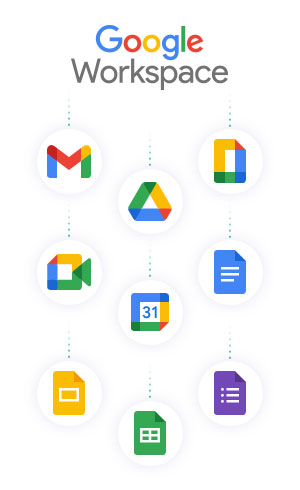
Google Workspace
- Google Docs (Word Processor)
- Google Spreadsheets (Spreadsheet/data management software)
- Google Slides (Presentation software)
- Hangouts Chat (One-to-one chat tool)
- Hangouts Meet (Collaborative audio and video call tool)
- Gmail for Business (Email software)
- Google Contacts (Contact management app)
- Google Calendar
- Google Drive (Cloud storage and file-sharing tool)
- Google Sites (Web-page creation tool)
- Google Forms (Survey and form creation app)
- Google Keep (Note-taking service)
Pricing Plans

| Package Name | Price per user | What You Get |
|---|---|---|
| Business Basic | $5/month |
|
| Apps | $8.25/month |
|
| Business Standard | $12.50/month |
|
| Business Premium | $20/month |
|
| E1 | $10/month |
|
| E3 | £20/month |
|
| E5 | $35/month |
|

| Package Name | Price Per User | What You Get |
|---|---|---|
| Business Starter | $6/month |
|
| Business Standard | $12/month |
|
| Business Premium | $18/month |
|
| Enterprise | $25/month |
|
How Do They Compare?
Each of the productivity suites from Microsoft and Google includes such a wide variety of different tools and features that it’s best to compare them in specific areas, rather than trying to compare them as a whole.
Office apps/software
Also known as productivity apps, Google once led in this respect by allowing their apps to be used via a browser with no need to download any software. Microsoft has since brought its suite of tools online, but desktop/web app availability differs from package to package. While Google offers convenience, however, Microsoft Office software tools tend to be much fuller featured. However, many note that Google Doc and Sheets files tend to be easier to export and import to different software.
Cloud features
Google Workplans works natively and exclusively through desktops, meaning that it is built to work seamlessly online with the Cloud as its foundation. While a user’s storage allotment is shared between both Drive and Gmail, it scales from 30Gb up to 5Tb. Meanwhile, Microsoft 365 offers 1TB of personal Cloud storage in even its most standard Business package.
With Google Workplace, you get an inbox size of 30GB as standard which, as mentioned, is shared by Drive. Meanwhile, Microsoft Outlook offers 50GB or 100GB mailbox sizes. However, while the Microsoft Exchange Online tool built for Outlook can only be used with desktop clients, Gmail is much better optimized for mobile apps and web browsers, too.
Security and Compliance Considerations
Businesses evaluating productivity platforms should assess how each solution supports identity protection, information governance, and organizational security policies.
Microsoft 365 integrates with Microsoft Entra ID, Microsoft Defender, and Microsoft Purview to support identity management, threat protection, information classification, and compliance processes. Google Workspace provides security administration through its Admin console, Google Cloud Identity, security investigation capabilities, and Google Vault, depending on the subscription edition.
Before selecting either platform, IT and compliance teams should evaluate:
- Multifactor authentication and access policies.
- Data loss prevention and information classification.
- Audit logging and administrative visibility.
- Email threat detection and phishing protection.
- Data retention and eDiscovery capabilities.
- Regulatory requirements and data residency.
Organizations should validate these capabilities against their applicable regulatory obligations and selected subscription plans rather than assuming that purchasing either platform automatically ensures compliance.
IT Management and Administrative Control
Managing employee access and technology resources becomes increasingly important as organizations expand across departments and locations.
Microsoft 365 and Google Workspace provide centralized administrative environments to control user accounts, assign permissions, configure organizational policies, and manage application access.
For IT departments, the evaluation should focus on how easily each platform integrates with existing identity infrastructure, supports employee onboarding and offboarding, and provides visibility into administrative activities.
Organizations with established Microsoft infrastructure may benefit from integrating Microsoft Entra ID and Intune. Businesses using Google-centric environments can evaluate Google Admin Console capabilities and Google endpoint management.
The right solution should reduce administrative complexity while giving IT teams sufficient control over users, applications, and organizational security policies.
Migration Risks and Business Continuity
Changing productivity platforms can affect business operations if organizations do not adequately plan data transfers, application dependencies, and employee access.
Before migrating between Microsoft 365 and Google Workspace, businesses should identify the information and workflows that must be preserved. These may include email archives, shared documents, calendar records, collaboration permissions, and application integrations.
A controlled migration should include:
- Inventory existing accounts, applications, and business data.
- Identify dependencies between productivity tools and business applications.
- Define migration timelines and user communication plans.
- Test data transfers with a representative group of employees.
- Validate file integrity, permissions, and application access.
- Establish recovery and rollback procedures.
Organizations should also evaluate backup and recovery requirements independently of the platform’s native retention capabilities. Retention, synchronization, and backup serve different purposes and should not be treated as interchangeable.
Total Cost of Ownership for Enterprise Organizations
The subscription price alone does not reflect the full financial commitment of adopting a productivity platform.
Businesses should consider implementation, migration, employee training, administration, integration, and ongoing technical support when evaluating the long-term investment.
For example, an organization with established Microsoft infrastructure may reduce integration effort by selecting Microsoft 365. A business already using Google applications may avoid unnecessary migration and retraining costs by continuing with Google Workspace.
A practical TCO assessment should consider:
- Subscription and additional licensing expenses.
- Initial configuration and implementation.
- Data migration and application integration.
- Employee training and change management.
- Ongoing administration and technical support.
- Backup, recovery, and compliance requirements.
Evaluating these expenses over three years can help procurement and IT teams understand the financial implications of each platform.
Which is Better for Your Business: Microsoft 365 or Google Workspace?
Choosing between Microsoft 365 and Google Workspace depends on your organization’s existing technology environment, operational requirements, and long-term business objectives.
Microsoft 365 is a strong choice for organizations that rely on desktop productivity applications, Windows-based infrastructure, enterprise identity management, and integrated business tools. Its ecosystem supports organizations that require advanced document processing, centralized administration, and connections to existing Microsoft applications.
Google Workspace suits businesses that prioritize browser-based operations, cloud-native workflows, and real-time collaboration. Its integrated applications can simplify everyday work for teams that primarily operate through web-based environments.
Before deciding, assess your existing application dependencies, employee workflows, IT management requirements, security policies, and projected operating costs.
Ultimately, the best platform integrates effectively with your business environment, supports your employees’ daily activities, and meets your organization’s operational and technology requirements without adding unnecessary complexity.
Which One is Better for You?
The productivity suite that works best to your needs will depend on what you’re looking for. Smaller teams that start with Google Workspace tools may find them easier to continue working with, and find that their ease of use makes them the best suited for productivity. However, when it comes to Cloud storage allocation, security features, and full-featured office software, Microsoft Office 365 will win by most metrics.
Related on ExterNetworks Right Now!

The Role of Automation in IT Support
Written By Allan Stuke