 Managed IT Services
What Is a Managed Print Service? Benefits, Features & How It Works



Downtime Draining Your Business? Fix It Before It Costs More
Missed alerts turn into outages, outages turn into lost revenue. ExterNetworks Inc. delivers 24/7 NOC & Help Desk support to keep everything running smoothly.
Get 24/7 IT Support NowWhile it may seem as though physical documents are a relic of the past, that’s certainly not the case. From sending letters to clients, to printing out essential information, to codifying your records in physical form, there are many reasons as to why you will need to secure your document output and ensure this network is properly managed.
For that reason, you may wish to consider and implement the best managed print services aimed at simplifying this essential toolkit and ensuring the complicated setup of this process is never a worry.
What is the Purpose of Managed Print Services?
Managed Print Services are the means by which you outsource your print utilities to an external provider. They will be tasked with needs assessments, the integration, replacement and upgrading of hardware, as well as making sure essential parts and supplies are provided to make sure this hardware functions. Furthermore, the fax, copier, MFP and printer logistics will be managed and implemented into your network, keeping in mind the needs of your business as a whole.
What Does Print Management Do?
Print management is the process of asking a third-party provider to manage and integrate the best print solutions necessary for your business. They will make sure your printing network remains up and running, that it has the appropriate hardware to function correctly, that it meets compliance, and that it is upgraded as time moves on.
How Managed Print Services Work?
Managed Print Services (MPS) begins by analyzing and optimizing an organization’s entire printing environment. A service provider conducts a detailed assessment of existing printers, usage patterns, and associated costs to identify inefficiencies such as overuse, underutilized devices, and unnecessary expenses. Based on these insights, the provider designs a tailored strategy that may include consolidating devices, upgrading to more efficient printers, and implementing print policies like duplex printing or access controls. Once the plan is approved, the provider installs and configures the required hardware and software to ensure a seamless transition without disrupting daily operations.
After implementation, MPS relies on continuous monitoring and proactive management to maintain efficiency. Advanced tools track device performance, usage, and supply levels in real time, enabling automated toner replenishment and early detection of technical issues. The provider also handles ongoing maintenance, repairs, and support, reducing the burden on internal IT teams. Regular reporting provides visibility into print costs and usage trends, allowing businesses to continuously refine their print strategy. In short, MPS combines optimization, automation, and ongoing management to reduce costs, improve productivity, and deliver a hassle-free printing environment.
What is MPS Installation?
MPS installation includes the installation of hardware such as printers, fax machines, copiers and multifunction devices, including the integrated software with which to run them. This means that it takes the complexity and hardship out of making sure your business is fit for task when ensuring its printing needs.
What Does a Managed Print Service Include?
A Managed Print Service typically includes the following components:
- Print Environment Assessment – Evaluation of current printers, usage patterns, costs, and inefficiencies
- Device Management – Provision, installation, and optimization of printers and multifunction devices
- Print Management Software – Tools to monitor usage, control access, and enforce print policies
- Automated Supply Management – Automatic delivery of toner, ink, and other consumables before they run out
- Proactive Monitoring – Real-time tracking of device performance, usage, and potential issues
- Maintenance & Support – Regular servicing, remote troubleshooting, and on-site repairs
- Security Features – User authentication, secure print release, and data protection measures
- Cost Control & Optimization – Strategies to reduce printing expenses and eliminate waste
- Reporting & Analytics – Detailed insights into print usage, costs, and performance trends
- Sustainability Practices – Measures to reduce paper waste and improve environmental impact
These components work together to create a streamlined, efficient, and cost-effective print environment.
How Managed Print Services can Benefit Your Business?
Just as managed IT services improve efficiency by offsetting the cumbersome IT development management needs of your firm and allowing a third party, fully capable provider to take care of that for you, managed print services can help you save time and improve efficiency in this way.
This also helps you reduce costs and save money, while improving productivity within your organization.
Who Should Consider Managed Print Services?
Managed Print Services are ideal for organizations that rely heavily on printing and want to reduce costs, improve efficiency, and simplify print management. The following types of businesses and environments benefit most from MPS:
- Medium to Large Enterprises – Organizations with multiple departments and high print volumes gain centralized control and cost optimization
- Businesses with High Printing Needs – Industries like legal, healthcare, education, and finance that require frequent document printing and handling
- Companies Looking to Reduce Costs – Businesses facing high expenses on toner, paper, and maintenance can significantly cut costs with MPS
- Organizations with Limited IT Resources – Companies that want to offload printer management, maintenance, and troubleshooting from internal IT teams
- Multi-Location Businesses – Enterprises with multiple offices that need standardized and remotely managed print environments
- Security-Conscious Organizations – Businesses handling sensitive data that require secure printing, user authentication, and document protection
- Growing Companies – Organizations scaling operations that need a flexible and efficient print infrastructure
In short, any organization seeking better control, lower costs, and a more efficient printing setup can benefit from Managed Print Services.
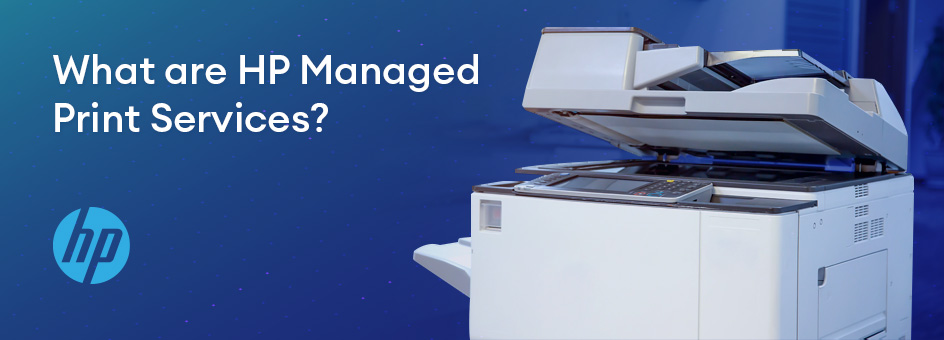
What are HP Managed Print Services?
HP is a known and trusted brand with decades of experience in the printing industry and many products under its belt. They’ve thrown their full weight behind the future of print management, with adaptive workplace solutions that ensure faster, more connected teams. They leverage the power of the cloud to ensure digital solutions are the norm, allowing work-from-anywhere teams to benefit as much as in-house employees can. In this way, they also integrate remote worker cyber-security practices to ensure your business is protected from all angles, and that your printing strategies are well defined and accessible for everyone in your firm.
Choosing the Right Managed Print Services Provider
Choosing the right Managed Print Services provider is a critical decision because it directly impacts your costs, efficiency, and document security. Start by evaluating the provider’s experience and expertise in managing print environments similar to yours. A reliable provider will conduct a detailed assessment of your current setup and offer customized solutions rather than a one-size-fits-all approach. Ensure they provide end-to-end services, including hardware, software, supply management, and workflow optimization. Also, look for providers that prioritize security features, offer transparent pricing, and demonstrate clear cost-saving strategies backed by data and reporting tools.
Equally important is the provider’s ability to support your business over the long term. Choose a partner with strong Service Level Agreements (SLAs) that define response times, uptime guarantees, and reliable support. Scalability and flexibility are key — your provider should be able to grow with your business and adapt to changing needs. Advanced analytics, regular reporting, and sustainability practices are also valuable, as they help you continuously optimize your print environment and reduce waste. Ultimately, the right MPS provider acts as a strategic partner, aligning with your business goals and delivering ongoing improvements—not just managing printers.
Frequently Asked Questions
The most frequently asked questions we hear regarding these topics are::
1. What are Managed Print Services (MPS)?
Provided by an external provider, managed print services are services designed to adapt to your workplace, providing a full printing solution in every aspect, including management and monitoring, allowing your business to move forward and develop itself as appropriate.
2. What is the best cloud printing solution?
The best cloud printing solutions leverage the power of the cloud with a print services partnership that frees up your workforce and allows you to focus on creative thinking, vision and innovation. It also prevents printing downtime or the obstruction of your hardware use, meaning that your team can enjoy full functionality, all of the time.
3. What can we do for you?
ExterNetwork can empower smarter, faster and more connected teams to make sure you operate a borderless workplace. Through a consultative partnership, we will generate measures to make sure you’re able to actualize your business strategy, integrate printing measures properly, and define what that means for the size and scope of your current business (as well as remaining flexible when those needs grow).
Our intent is to deepen our relationship and make sure we provide for you every service you could possibly want or need, without making you worry about cumbersome maintenance or network security measures.
4. What are the benefits of MPS?
MPS allows firms to be flexible, to work from anywhere, and to create value with a secure managed printing solution. MPS also ensures that firms are provided this functionality in a competent manner, rather than using old machinery or eschewing this very necessary business utility for solely digital means. Fortifying our business potential is always a good idea, and MPS is an essential part of that puzzle.
Related on ExterNetworks Right Now!



Telecom Managed Services
Written By Poorna Mohan

Most Recent Posts