Missed alerts turn into outages, outages turn into lost revenue. ExterNetworks Inc. delivers 24/7 NOC & Help Desk support to keep everything running smoothly.
Get 24/7 IT Support NowHow often do you get spammed messages? If your answer is quite frequently, then you are not alone. Spam messages sent each day have increased dramatically over the last few years. As more and more people use smartphones to check their email accounts, the problem is worse.
Spammers can be very creative when it comes to sending spam messages. They will send them to anyone who responds to an ad on Craigslist, or anyone who signs up for free trial offers online. This means that if you have ever responded to such a request, chances are you received a lot of junk mail in return.
Spam filters work by looking for certain words or phrases in an email message. A spam filter may block an email if it finds these words in the subject line. Spam filtering works by learning your email habits and applying those learned habits to new emails. It does this by examining past emails you’ve labeled as spam and creating rules that apply to future emails.
These rules may be based on words, phrases, or even numbers. This method is most effective when applied to large amounts of data. However, if you’re using this method, make sure you’re careful about what you label as spam. You could accidentally block legitimate messages.
Spam filters are used by ISPs, free online email services, and businesses. They watch for specific words in the subject line of an email and exclude the message from the user’s inbox. Spam filtering programs learn the user’s preferences based on the emails marked as spam, but these programs may miss legitimate messages.
Many different types of spam filters exist; and some are hosted in the cloud, some are hosted on servers, and others are integrated into email programs.
Since the rise of social media platforms like Facebook and Twitter, these sites allow users to send messages to large groups of people at once, and spam filters prevent some messages from reaching their intended audience.
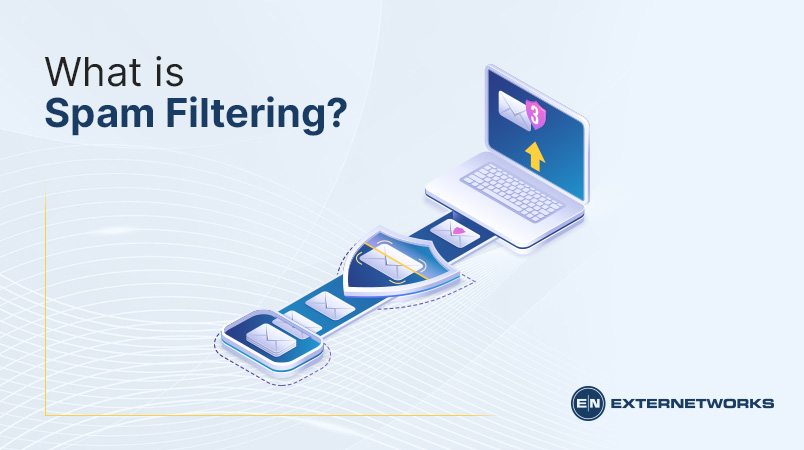
The first step in setting up a filter is deciding what words or phrases should trigger a warning. Then, the program has to decide whether to let the message through or not. This decision is based on several factors, including the sender’s reputation, the content of the message itself, and any attachments.
Yes. It’s important to understand that spam filters don’t just block messages containing certain words or phrases; they also look at the content of the message itself. If someone sends out a mass email from a legitimate business but includes some misleading information, the filter will still flag it as spam.
Spam filters can catch phishing emails that look like they come from legitimate sources. They can also detect viruses and malware that might infect your computer if you click on links. Spam filters can also prevent you from accidentally sending sensitive information to people who don’t need to know it.
Spam filters are very effective tools to prevent spam. Most commonly used spam filters include the following:
Content Filters – Content filters analyze the contents of each email to determine if it is spam or not spam. Spam content tends to be predictable, offering deals, promoting explicit content, or targeting basic human feelings. Spammers often use target keywords and discounts, which might trigger the filter. Some companies also use content filters to check emails for inappropriate language.
Header Filters – Header filters analyze email headers (the information contained within the title of an email) to determine whether or not a legitimate sender sent the message. Spam filters identify content that is likely to be spam.
Rule-Based Filters – Rule-based filters are great for those who want to stop spam. You set up rules that match certain words or phrases in an email. Then you can tell your mail client to forward messages that contain these words or phrases to a spam folder.
Blocklist Filters – A blocklist filter blocks spam emails from senders added to a complete spammers list. A blocklist filter is updated regularly to keep up with spammers who change their email addresses. Enterprises often create their blocklists to protect their business interests, such as blocking headhunters seeking their top talent for the benefit of other companies. Enterprises can also block emails deemed wasteful of their employees’ time.
Language Filters – Language filters identify content that is unlikely to be understood by the intended recipient because of differences in language.
When a spam-filtering system identifies an email as spam, it takes action based on the organization’s email security policies and filter settings. The system may automatically move the message to the spam or junk folder, where users can review it and, if needed, recover legitimate emails. Suspicious messages may instead go into quarantine, preventing users from opening potentially harmful content until an administrator reviews it and releases or deletes it.
In some cases, the email security gateway rejects the message before it reaches the recipient’s inbox or blocks it during delivery. Administrators may receive notifications about detected spam, suspicious attachments, repeated sending attempts, or potential phishing campaigns. These alerts help IT teams investigate threats and adjust filtering rules when needed.
Organizations can also configure automated deletion policies to remove quarantined spam messages after a defined retention period. This prevents unnecessary storage use and reduces the risk of users accidentally accessing malicious emails. However, businesses should maintain appropriate quarantine review procedures and retention settings to avoid permanently deleting legitimate business communications.
Email filtering systems can mistakenly classify legitimate emails as spam when they detect characteristics that resemble unwanted or malicious messages. This situation is called a false positive.
For example, a trusted business may get emails redirected to the junk folder because its domain or IP address has a poor reputation, especially if it has previously been linked to bulk email activity or spam complaints.
Several technical and content-related factors can contribute to this problem:
To minimize these issues, organizations should maintain sender reputation, configure email authentication protocols correctly, monitor IP and domain blocklists, and regularly review spam quarantine reports. IT administrators should also adjust filtering rules and allowlist verified business senders when appropriate, ensuring legitimate emails reach recipients without weakening email security.
IT administrators can configure spam filtering policies by setting security rules that control how business email servers identify, filter, quarantine, and deliver messages. The following configurations help maintain effective email protection.
Set spam detection thresholds to determine how email servers classify incoming messages. Configure different sensitivity levels to identify suspicious emails without unnecessarily blocking legitimate business communications.
Establish quarantine rules to isolate suspicious messages for administrator review. Define message retention periods, email release procedures, and automatic deletion policies for confirmed spam.
Add trusted email addresses, domains, and business partners to allowlists to prevent the system from incorrectly classifying legitimate communications as spam.
Maintain blocklists of known spam email addresses, malicious domains, and suspicious IP addresses to keep unwanted messages out of employee inboxes.
Configure domain-level restrictions to control incoming and outgoing email communications. Apply authentication requirements and restrictions for unauthorized or suspicious external domains.
Set attachment filtering rules to block potentially dangerous file formats, executable files, suspicious documents, and attachments that exceed organizational size limits.
Configure individual mailbox filtering preferences based on employee roles and departmental requirements. Allow users to report spam, review permitted quarantine messages, and manage approved senders.
Enable SPF, DKIM, and DMARC validation to verify sender identities, detect domain spoofing, and reduce unauthorized email communications.
Define automated responses to suspicious messages, including spam folder placement, message rejection, quarantine, and deletion based on predefined security policies.
Regularly review spam reports, quarantine logs, false positives, and email delivery performance. Adjust filtering thresholds and security rules to improve detection accuracy and maintain reliable email communication.
Small businesses can implement cost-effective email spam protection by choosing security solutions that match their infrastructure, employee needs, and IT budget. Cloud-based spam filtering is practical because it eliminates the need to buy and maintain dedicated filtering hardware. These solutions scan incoming and outgoing emails for spam, phishing attempts, malicious links, and infected attachments before messages reach employee inboxes.
Cloud-based email filtering services provide spam detection, phishing protection, malware scanning, and email security without requiring on-premises infrastructure. Small businesses can use these services to reduce hardware expenses and simplify deployment.
Businesses without dedicated IT security teams can use managed email security providers to handle spam filtering, threat monitoring, policy configuration, and security updates. This reduces the need for additional internal resources.
Choose subscription-based email security solutions that charge according to the number of users or mailboxes. Scalable plans allow businesses to add or remove users as their workforce changes without investing in unnecessary infrastructure.
Before implementing a spam filtering solution, assess existing email platforms, user accounts, domain configurations, and integration requirements. Ensure the selected solution supports business email environments such as Microsoft 365 and Google Workspace.
Configure SPF, DKIM, and DMARC records to prevent email spoofing and unauthorized senders from impersonating the business domain. These protocols improve sender verification and support reliable email delivery.
Evaluate subscription fees, setup expenses, technical support charges, renewal costs, and additional security features. Cloud-based services can reduce hardware maintenance and software management expenses.
Enable automatic filtering updates, threat detection, quarantine management, and reporting of suspicious emails. Automation reduces manual administration and helps small businesses respond to emerging email threats.
Provide basic security awareness training to help employees identify phishing emails, suspicious attachments, fraudulent links, and unknown senders. Encourage employees to report suspicious messages to prevent email-based security incidents.
By combining cloud-based filtering, managed email security, scalable subscriptions, and employee awareness training, small businesses can establish reliable spam protection while controlling infrastructure, maintenance, and operational expenses.
There are many different types of spam filters available, but most fall into one of two categories: blacklists and whitelists. Blacklists look at the content of emails and compare them against a list of known spammers, and Whitelists check email addresses and domains against a list of known safe senders.
Spam filters are designed to stop spam messages from entering your email account. They are usually built into software or web browsers. Sometimes, legitimate messages get filtered out. Spam filters keep your inbox clean from unwanted Emails and protect you from phishing scams and malware attachments. Some spam filters will even block links to malicious websites.
See how ExterNetworks can help you with Managed NOC Services
Contact Us