NOC Services
What is RMM? Remote Monitoring and Management Explained



Editor’s Note: Demystifying the concept of remote monitoring and management (RMM), this article explores how businesses gain visibility, automation, and issue remediation across distributed IT assets without the nee... Read More
Downtime Draining Your Business? Fix It Before It Costs More
Missed alerts turn into outages, outages turn into lost revenue. ExterNetworks Inc. delivers 24/7 NOC & Help Desk support to keep everything running smoothly.
Get 24/7 IT Support NowRemote Monitoring and Management (RMM) has been growing in popularity in businesses across industries for the past several years. That’s been driven largely by the benefits that it can have. If you’re looking to improve your business, then you’ll need to know about RMM.
What Is Remote Monitoring And Management (RMM)?
RMM is known by several names, depending on who you speak to. The most common of these are remote monitoring software and network management. This is software that lets a company remotely monitor its IT infrastructure.
An RMM system can include various pieces of software that helps to identify, analyze, and address any issues with a network. This can be done with any device that’s been connected to the network and can be used to fix any other device on the network.
Typically, the system will identify these issues while an IT professional will have to address them manually. That could depend on the system you use, however.
Why Do You Need Remote Monitoring And Management Software?
There are quite a few reasons why you might need remote monitoring and management. These center around ensuring that your computer network runs smoothly at all times. With the software, you can cut down on the amount of downtime that you see with devices and employees.
It can also help address cybersecurity concerns, among others. You should see a cost reduction with this, as it’ll be less labor intensive than other approaches. If you have remote workers, which many companies do at this point, then it becomes increasingly important.
Your employees’ work computers will need to be monitored, especially if they work remotely. If they develop computer issues, you’ll need to address them quickly to get your employee back working. An RMM software is the easiest and most cost-effective way of doing so.
How To Choose The Right Tool For Your Business Needs?
If you want to take advantage of a remote monitoring and management system, you’ll have quite a few options to choose from. How can you pick? There are a few things that you should focus on, including:
- Integration: Can the system be integrated into your current system? If not, then it shouldn’t be considered.
- Scalability: You’ll want your business to grow over time. That means more devices to monitor. Can your RMM scale up with that?
- Security: Different systems offer different levels of security. You should aim for a minimum amount with others being optional extras.
With these, you can determine what the best RMM system is for your needs. It’s worth taking your time with this decision.
How Does RMM Work?
To deploy RMM, you need an RMM server, which is a lightweight piece of software that runs on client servers, hyperversors, workstations, laptops, and all other devices connected to the network.
This tool provides real-time insight into the state of the client’s IT environments. It also enables to control and monitor remote devices.
With RMM agents installed on devices, the RMM platform recognizes them from any location, so they can be controlled remotely.
Benefits of Using RMM Software
While some of the main benefits of using RMM software might be obvious, quite a few of them wouldn’t be. If you’re still on the fence about it, then you’ll want to know what these are. The most notable are:
- Helps with monitoring and automation;
- Helps optimize system stability;
- Extends the lifespan of systems and devices;
- Systems will function optimally, and;
- Detects technical issues before they become too large of a problem.
These benefits could convince quite a few business owners to get an RMM software. While this could be relatively expensive, it should be more than worth the investment. If you work with clients and supply their devices, then you could see multiple other benefits, such as increased satisfaction and loyalty.
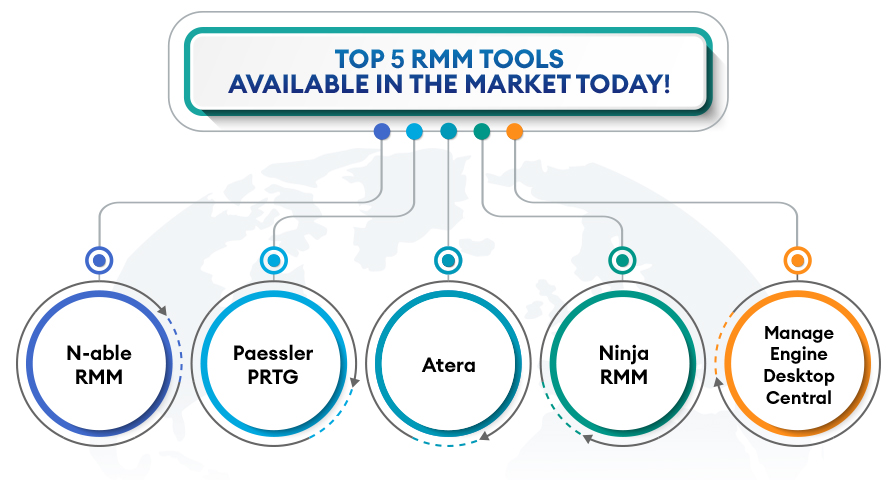
Top 5 Best RMM Tools Available In The Market Today!
If you’ve decided to get remote monitoring and management software, then you’ll have quite a few of them to choose from. As positive as that can be, you could be overwhelmed by the number of choices.
While knowing what you should look for in an RMM, you’ll still need a few of them to compare. Some of the more popular options include:
- N-able RMM
- Paessler PRTG
- Atera
- Ninja RMM
- ManageEngine Desktop Central
When you’re comparing each of these, you should determine what your company needs and whether a specific RMM addresses them. You mightn’t find one that meets all of your criteria, although you should find one that’s quite close.
What Features Should Businesses Look for in RMM Software?
Businesses should choose Remote Monitoring and Management (RMM) software that provides centralized device visibility, proactive issue detection, automated maintenance, and secure remote administration. The right platform should support current IT requirements while scaling as the organization adds devices, users, and locations.
Key features to look for in RMM software include:
Real-Time Monitoring and Alerting: The software should monitor device health, CPU and memory usage, disk capacity, network connectivity, and critical services. Customizable alerts and severity-based prioritization help IT teams identify urgent issues and respond before they cause significant downtime.
Automation and Scripting: Automated workflows for routine maintenance, troubleshooting, software deployment, and remediation reduce manual work. Script execution should include appropriate permissions, approval controls, and execution logs.
Secure Remote Access: Technicians should be able to access supported endpoints remotely for troubleshooting and maintenance. Look for encrypted connections, multifactor authentication (MFA), role-based access controls, and session logging.
Automated Patch Management: RMM software should identify missing operating system and application updates, schedule patch deployments, and report patch compliance. Testing, maintenance windows, and rollback options help minimize disruption.
Reporting and Analytics: Customizable dashboards and reports should cover device availability, system performance, unresolved alerts, patch status, and service-level agreement (SLA) performance. These insights help businesses evaluate IT operations and identify recurring problems.
Policy and Configuration Management: The platform should support consistent device configurations, monitoring thresholds, security settings, and maintenance schedules across endpoints. Policy-based management helps enforce organizational standards and identify configuration drift.
Integration Capabilities: Compatibility with professional services automation (PSA) tools, help desk platforms, endpoint detection and response (EDR), antivirus, backup solutions, and identity management systems can simplify workflows and improve security visibility.
Scalability and Multi-Tenant Management: Businesses and managed service providers (MSPs) should be able to add devices, users, and locations without significant administrative overhead. MSPs should also look for client-specific access controls and tenant separation to protect customer environments.
Security and Audit Controls: Strong authentication, least-privilege permissions, secure credential storage, detailed audit logs, and timely platform updates are essential because RMM tools often have privileged access to managed devices.
Before selecting a solution, businesses should evaluate deployment ease, licensing costs, vendor support, and compatibility with their existing IT infrastructure. A practical evaluation using representative devices can help confirm that the platform meets monitoring, automation, security, and reporting requirements.
How Does RMM Help Improve Cybersecurity?
Remote Monitoring and Management (RMM) improves cybersecurity by allowing IT teams and managed service providers (MSPs) to monitor devices, identify vulnerabilities, deploy security patches, and respond to potential threats remotely. It helps businesses reduce security risks, maintain endpoint visibility, and address issues before they lead to major disruptions.
RMM supports cybersecurity in several ways:
Vulnerability Monitoring: RMM tools continuously monitor endpoints, servers, and other managed devices for outdated software, missing patches, suspicious activity, and configuration issues. Alerts help IT teams prioritize and investigate potential security risks.
Automated Patch Management: RMM platforms can identify missing operating system and application updates and automate patch deployment according to approved schedules. Timely patching helps close known security vulnerabilities, while testing and maintenance windows reduce the risk of compatibility issues.
Endpoint Protection Integration: Many RMM platforms integrate with antivirus, endpoint detection and response (EDR), and other security tools. These integrations can help IT teams monitor protection status, identify alerts, and coordinate remediation from a centralized console.
Continuous Monitoring and Alerts: RMM software collects device health and performance data and can flag unusual behavior, unauthorized configuration changes, or other predefined warning signs. This helps IT teams investigate problems earlier and reduce the time devices remain exposed to potential threats.
Remote Troubleshooting and Remediation: IT administrators can remotely investigate affected devices, restart services, apply approved configuration changes, and isolate or disable access where supported. Faster remediation can limit the impact of security incidents.
Improved Security Compliance: RMM tools help maintain consistent security configurations, track patch status, and generate reports that support internal audits and compliance efforts. Businesses can use these records to identify devices that fall short of their security requirements.
However, RMM is not a complete cybersecurity solution. It primarily supports monitoring, maintenance, and IT administration. It does not replace dedicated security tools such as EDR, security information and event management (SIEM), firewalls, or managed detection and response (MDR) services. Businesses should also secure RMM access with multifactor authentication (MFA), role-based permissions, and regular auditing because compromised RMM credentials could give attackers access to multiple devices.
By combining RMM with dedicated security controls and a defined incident response process, businesses can strengthen endpoint protection, reduce vulnerabilities, and improve their overall cybersecurity posture
Conclusion
Remote monitoring and management software can prove to be a significant asset for a large number of businesses. If you have multiple devices across your company, for employees and clients, then it could be mandatory to get.
In doing so, you’ll be better able to protect them from damage while also addressing any issues that they may develop. The quickness that’s often seen with this will ensure that your company continues to run smoothly, which will help optimize your overall work week.
Related on ExterNetworks Right Now!